100% gratis 100% free
ArcSync sincroniza tu progreso, highlights, notas y marcadores de KOReader entre todos tus dispositivos — con estadísticas de lectura y metas diarias. ArcSync syncs your KOReader progress, highlights, notes and bookmarks across all your devices — with reading stats and daily goals.
También sirve en lectores que no pueden correr KOReader (como los Xteink, con firmware CrossPoint): sincronizan tu avance por el protocolo KOSync, sin instalar nada. Also works on readers that can't run KOReader (like Xteink devices, running the CrossPoint firmware): they sync your progress over the KOSync protocol, nothing to install.
Un servidor, un plugin de KOReader y una app móvil — construidos juntos, pensados para lectores serios. One server, one KOReader plugin, one mobile app — built together, made for serious readers.
Progreso, highlights, notas y marcadores se mantienen al día en todos tus dispositivos, automáticamente al abrir y cerrar cada libro.Progress, highlights, notes and bookmarks stay current across every device, automatically as you open and close each book.
¿Tu lector no corre KOReader (como los Xteink, con firmware CrossPoint)? Vincula tu cuenta de ArcSync por el protocolo KOSync y sincroniza al menos tu avance de lectura.Is your reader not running KOReader (like Xteink devices, running the CrossPoint firmware)? Link your ArcSync account over the KOSync protocol to sync at least your reading progress.
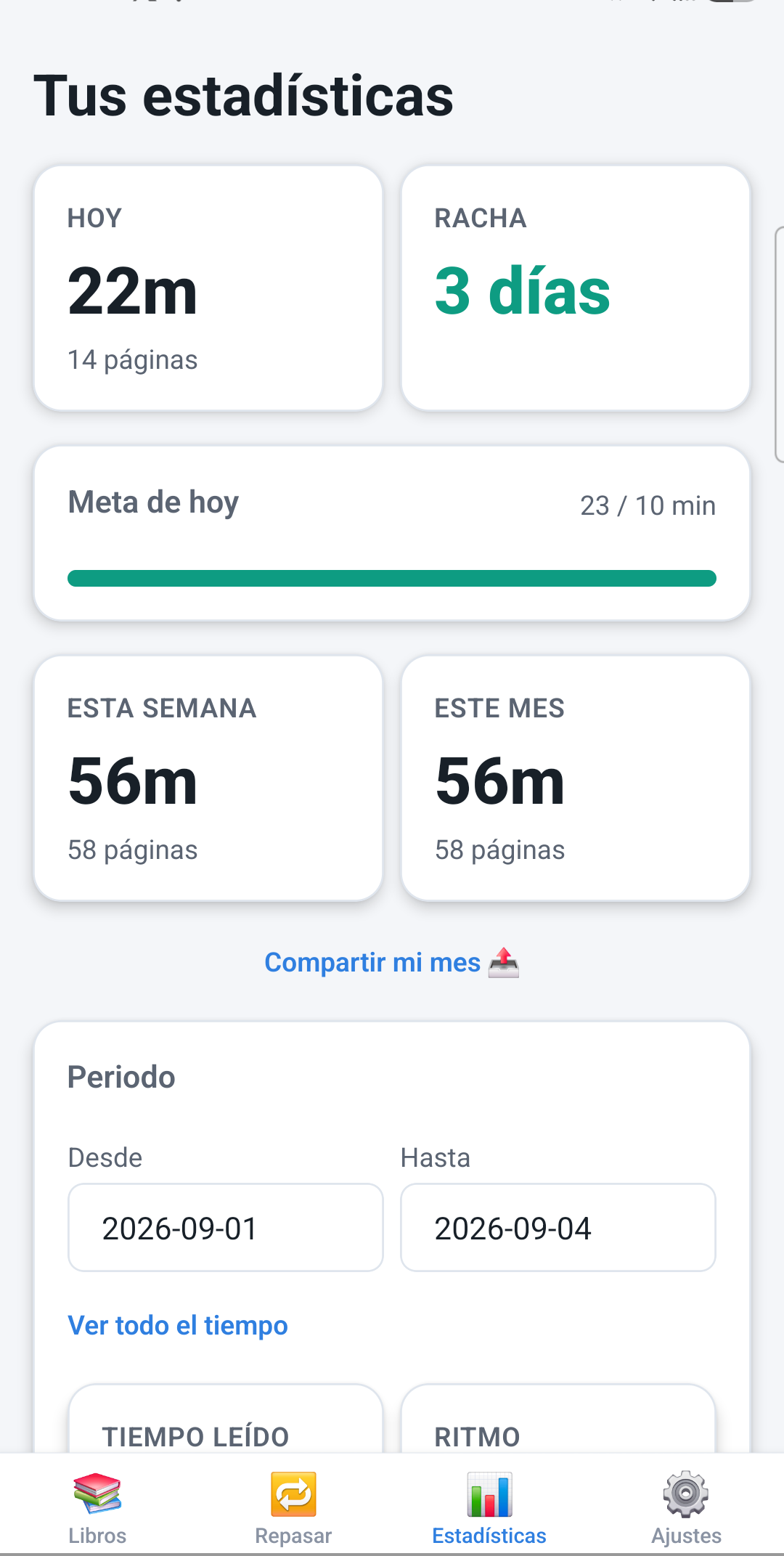
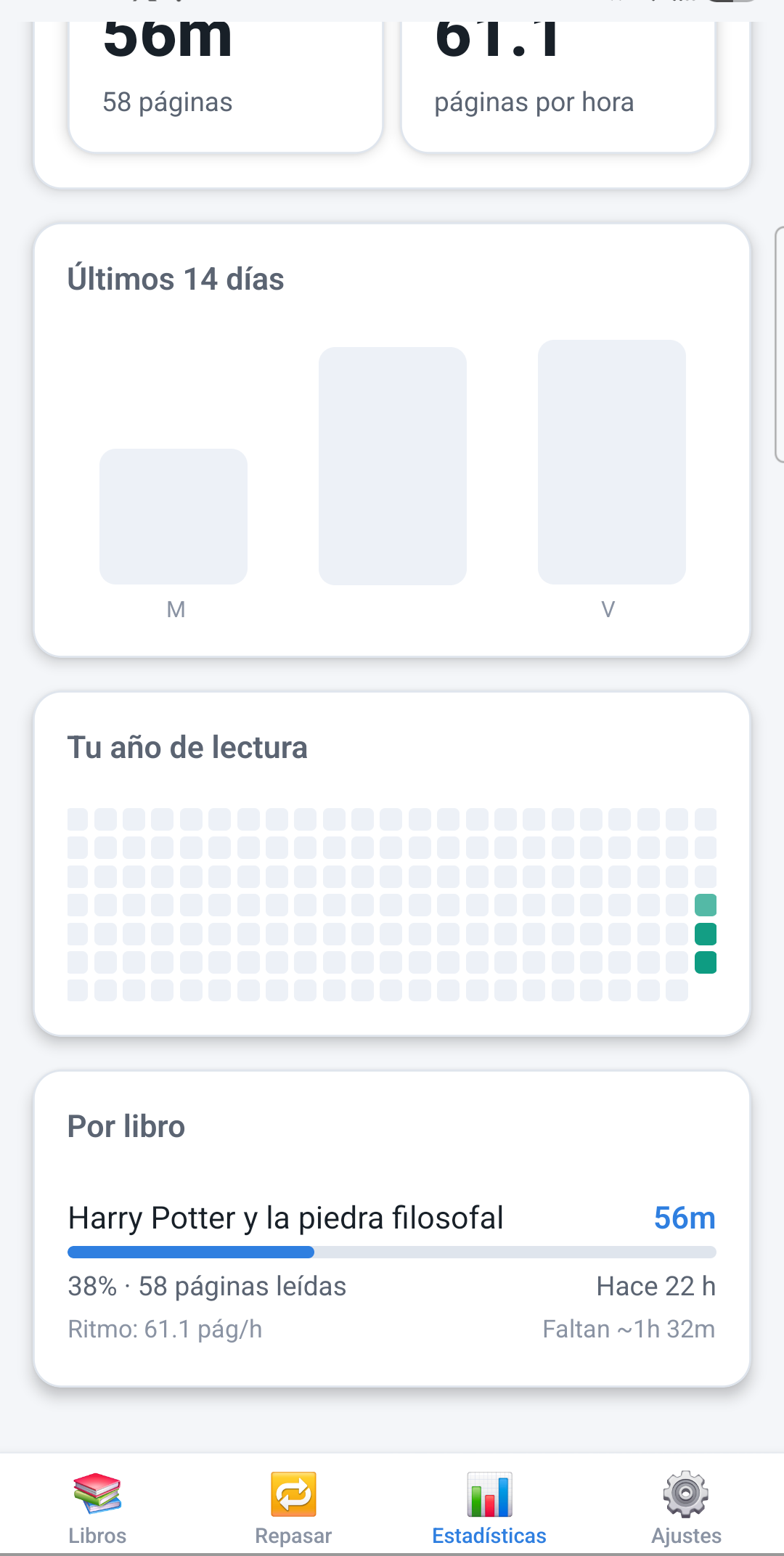
Tiempo leído por día, semana y mes, racha de lectura, mapa de calor anual, ritmo en páginas por hora y tiempo estimado para terminar cada libro.Time read per day/week/month, a reading streak, a yearly heatmap, your pace in pages/hour and an estimate of time left to finish each book.
Ponte una meta de minutos al día y recibe un aviso si tu racha está en riesgo o si estás a punto de terminar un libro.Set a daily reading-minutes goal and get notified if your streak is at risk or you are about to finish a book.
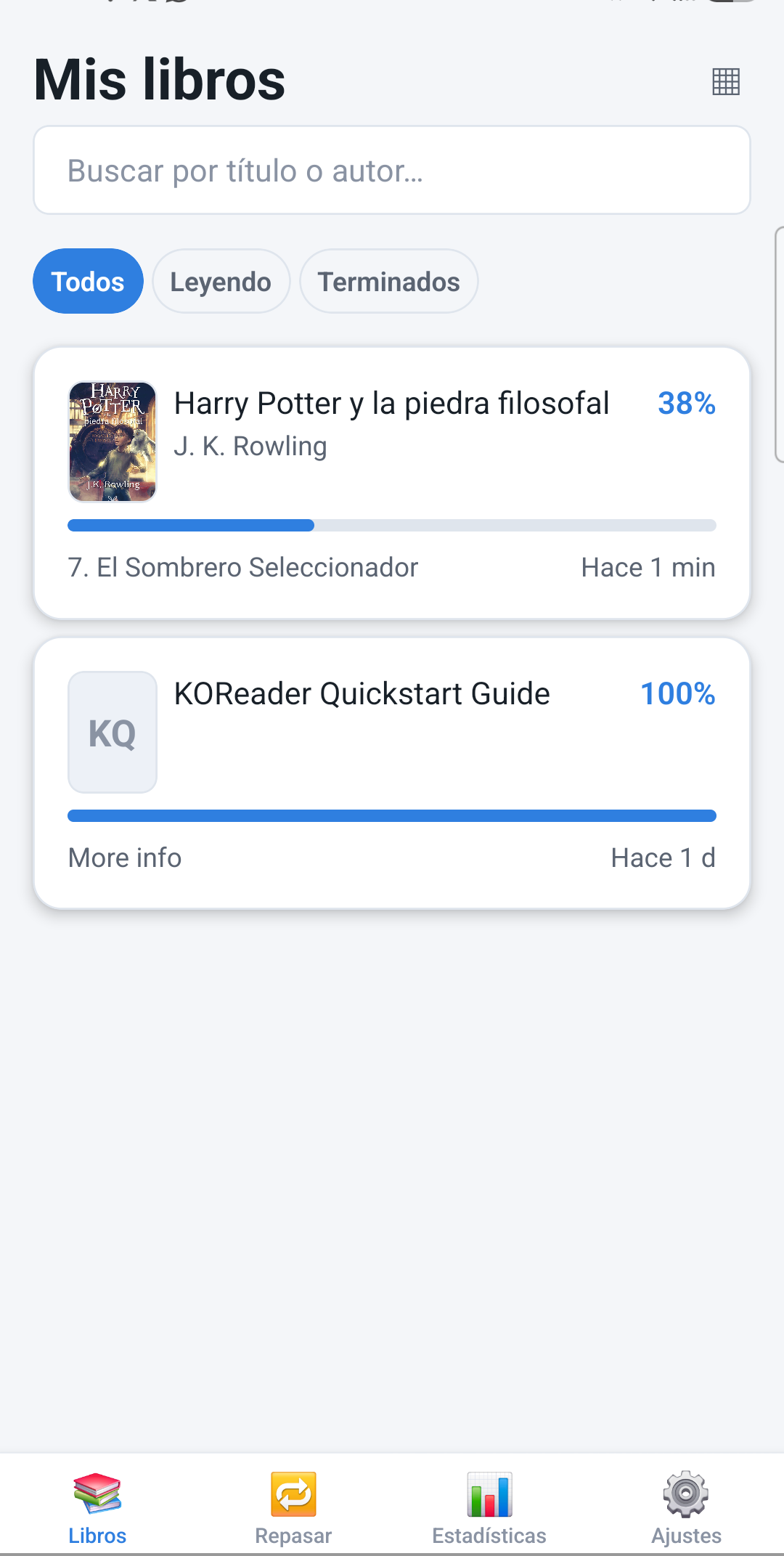
Explora tu biblioteca en lista o en un estante visual con portadas, al estilo de tus apps de lectura favoritas — con un estante aparte para libros terminados.Browse your library as a list or a visual shelf with covers, like your favorite reading apps — plus a separate shelf for books you have finished.
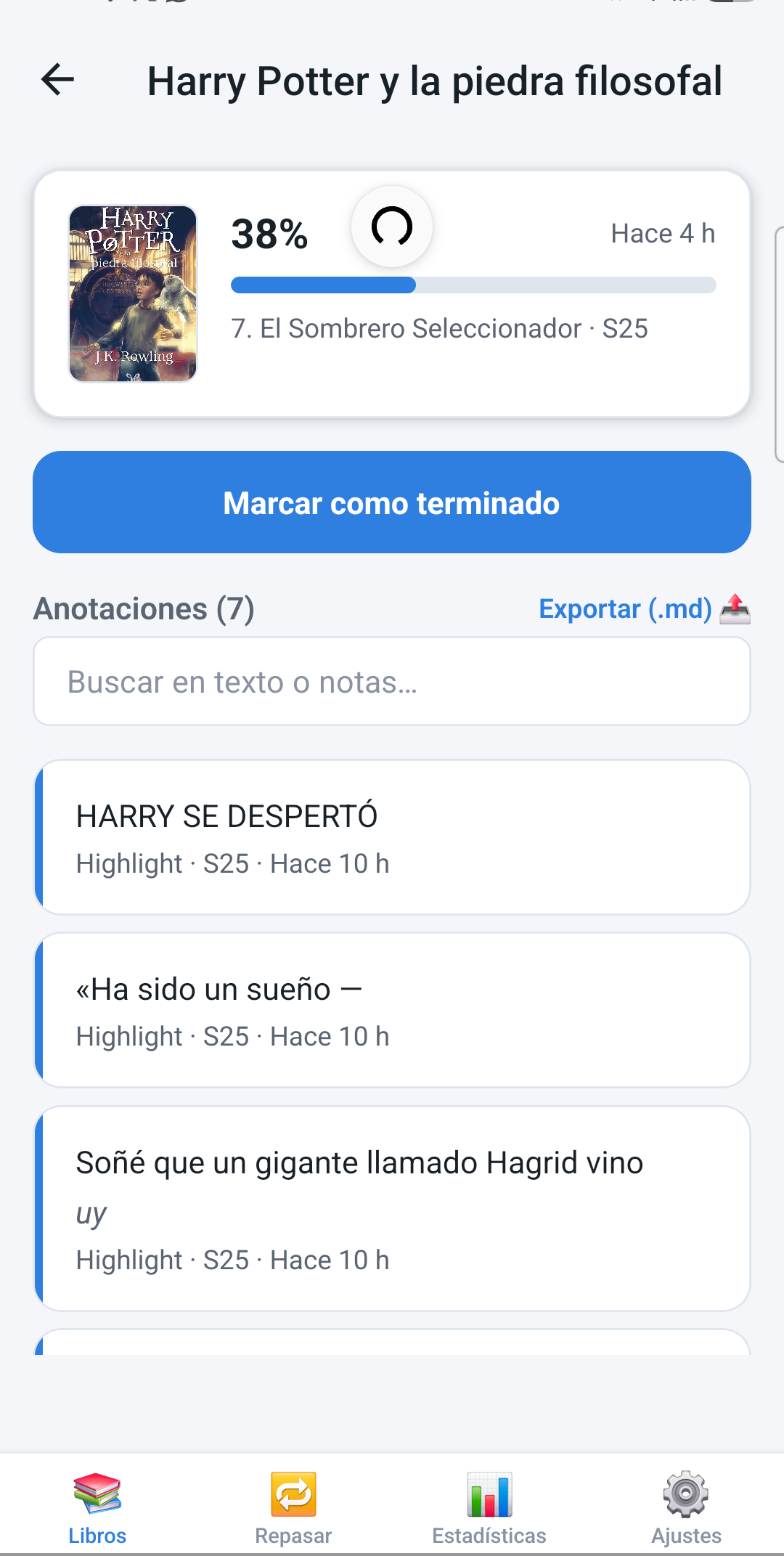
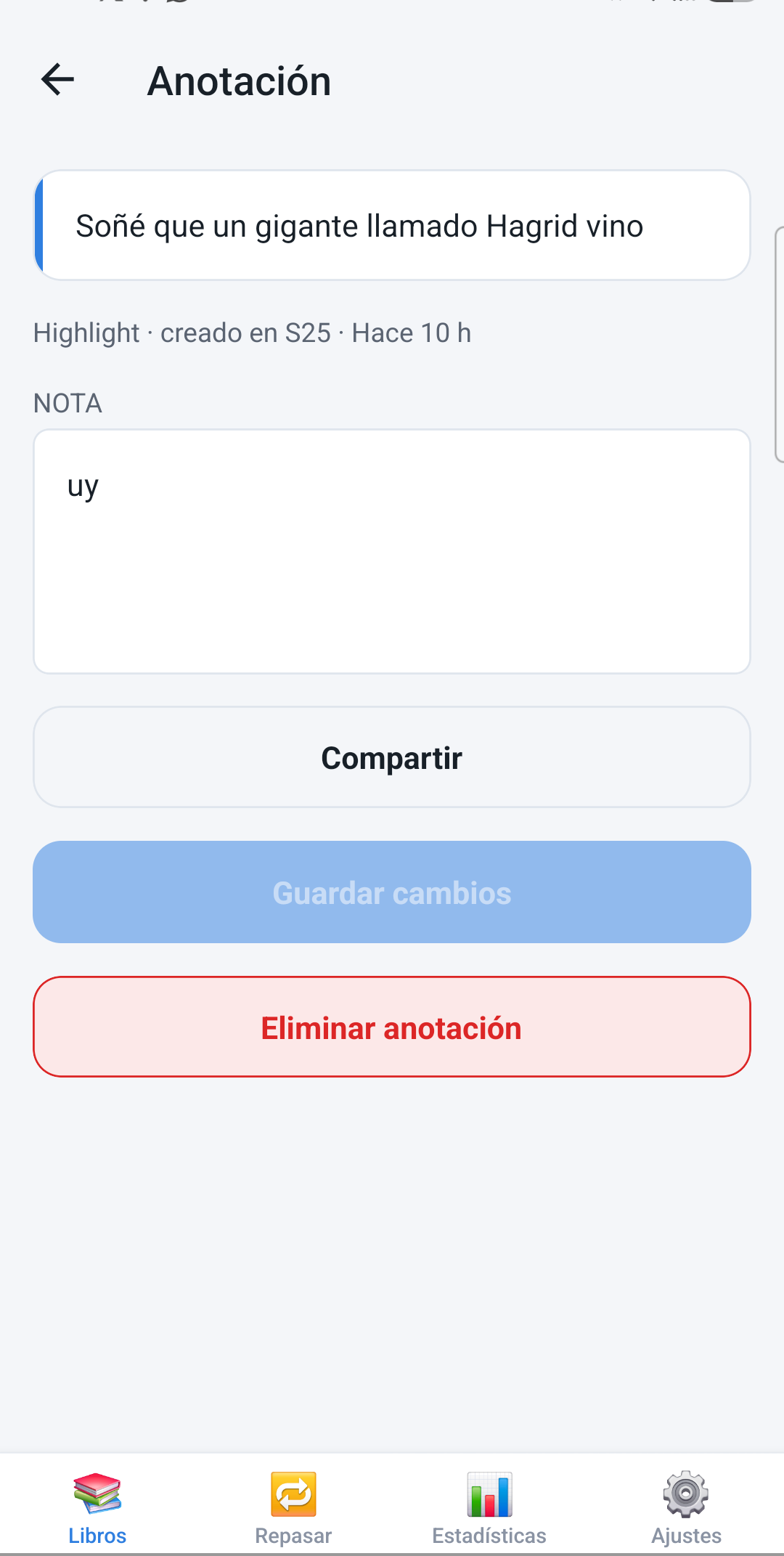
Exporta las anotaciones de cualquier libro a Markdown, o repásalas una por una en un modo de revisión al estilo Readwise.Export any book's annotations to Markdown, or review them one at a time in a Readwise-style review mode.
La app móvil guarda una copia local de tus libros y estadísticas, así que puedes seguir consultándolos sin señal.The mobile app keeps a local copy of your books and stats, so you can keep browsing them with no signal.
El plugin captura la portada directo desde KOReader y la sube, así que en la app ves exactamente la edición que estás leyendo, no una genérica.The plugin captures the cover straight from KOReader and uploads it, so the app shows exactly the edition you're reading, not a generic stand-in.
La app móvil, el plugin de KOReader y esta página funcionan completas en español e inglés.The mobile app, the KOReader plugin and this very page all work fully in both English and Spanish.
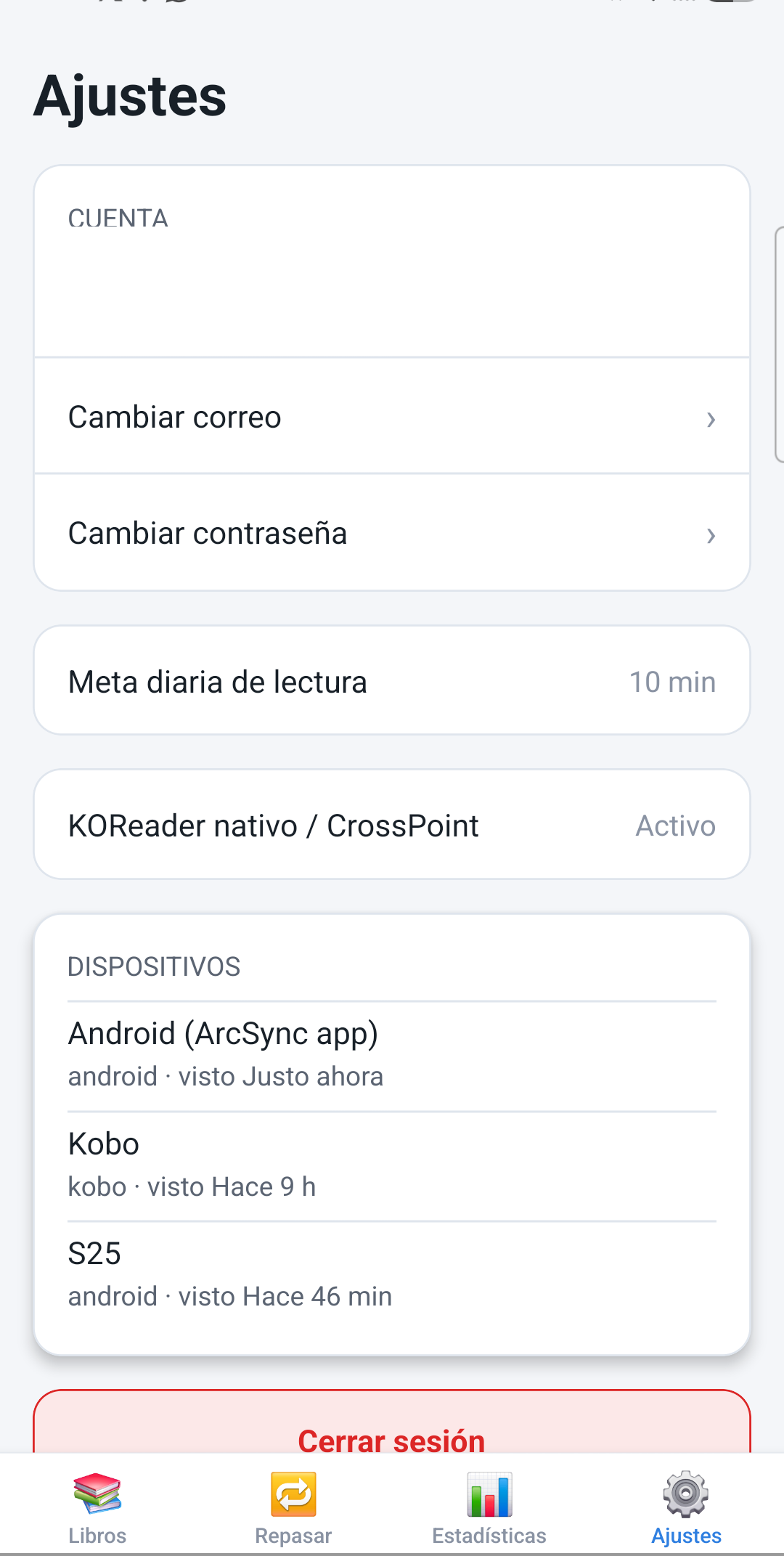
Capturas reales de la app móvil. Real screenshots from the mobile app.
Cinco pasos, dos partes: el plugin en KOReader y la app en tu celular. Todo lo demás pasa solo. Five steps, two parts: the KOReader plugin and the phone app. Everything else happens automatically.
Abre la app móvil de ArcSync (o el panel web) y regístrate con tu nombre, correo y contraseña — el registro está abierto, no necesitas invitación.Open the ArcSync mobile app (or the web dashboard) and register with your name, email and password — registration is open, no invite needed.
Descarga el .zip del plugin (botón abajo) y copia la carpeta ArcSync.koplugin que trae adentro a la carpeta de plugins de KOReader (en Android: la carpeta koreader/plugins/ de tu almacenamiento; en Kobo: .adds/koreader/plugins/). Reinicia KOReader. Instrucciones detalladas por plataforma en la guía técnica más abajo.Download the plugin's .zip (button below) and copy the ArcSync.koplugin folder inside it into KOReader's plugins folder (on Android: the koreader/plugins/ folder on shared storage; on Kobo: .adds/koreader/plugins/). Restart KOReader. Full per-platform instructions in the technical guide below.
Abre cualquier libro → menú (☰) → ArcSync. El campo "Server URL" ya viene con arcsync.codigoarcano.com listo — no lo toques. Toca "Login (email/password)", inicia sesión con tu cuenta y, cuando te lo pida, dale un nombre a este dispositivo.Open any book → menu (☰) → ArcSync. The "Server URL" field already has arcsync.codigoarcano.com set — leave it as is. Tap "Login (email/password)", sign in with your account, and when asked, give this device a name.
Abre la app en tu celular e inicia sesión con la misma cuenta. Verás tu biblioteca, highlights y estadísticas de inmediato.Open the app on your phone and sign in with the same account. Your library, highlights and stats show up right away.
A partir de aquí todo se sincroniza solo: al abrir y cerrar cada libro, cada pocos minutos en segundo plano y unos segundos después de cada highlight o nota nueva.From here on everything syncs by itself: when you open and close each book, every few minutes in the background, and a few seconds after each new highlight or note.
Si tu dispositivo no puede instalar el plugin de KOReader — por ejemplo, un Xteink, que usa el firmware CrossPoint en vez de KOReader — en Ajustes → "KOReader nativo / CrossPoint" de la app activa un usuario y contraseña aparte, y úsalos en la pantalla de sincronización de tu lector (suele llamarse "KOReader Sync"). Sincronizarás el avance de lectura (no highlights ni notas), ligado a tu misma cuenta de ArcSync. Instrucciones exactas, campo por campo, en la guía técnica. If your device can't install the KOReader plugin — for example, an Xteink, which runs the CrossPoint firmware instead of KOReader — in the app's Settings → "Native KOReader / CrossPoint", turn on a separate username and password, then use them in your reader's own sync screen (usually called "KOReader Sync"). That syncs your reading progress (not highlights or notes), tied to the same ArcSync account. Exact field-by-field steps are in the technical guide.
Cada botón, cada campo y para qué sirve. Toca cualquier pregunta para expandirla. Every button, every field, and what it's for. Tap any question to expand it.
Toca el botón "Descargar plugin (.zip)" más arriba. Descarga un archivo llamado ArcSync.koplugin.zip que, al descomprimirlo, te da una carpeta llamada ArcSync.koplugin. Esa carpeta completa es la que copias a KOReader — no copies solo los archivos sueltos.
Tap the "Download plugin (.zip)" button above. It downloads a file called ArcSync.koplugin.zip which, once unzipped, gives you a folder called ArcSync.koplugin. That whole folder is what you copy into KOReader — not just the loose files inside it.
KOReader funciona igual en Android, Kobo, Kindle, PocketBook, o instalado en una PC/Mac/Linux — y en todos los casos guarda sus plugins dentro de una carpeta llamada koreader/, que aparece directamente en el almacenamiento de tu dispositivo (junto a otras como Download/ o Pictures/). Para encontrarla: abre KOReader sin entrar a ningún libro — la pantalla que ves es su explorador de archivos, con la lista de carpetas de tu almacenamiento. Busca ahí koreader/, ábrela, y dentro crea (o usa, si ya existe) plugins/ArcSync.koplugin/.
KOReader works the same way on Android, Kobo, Kindle, PocketBook, or installed on a PC/Mac/Linux — and in every case it keeps its plugins inside a folder called koreader/, which shows up directly in your device's storage (alongside others like Download/ or Pictures/). To find it: open KOReader without entering any book — the screen you see is its file browser, listing your storage's folders. Look for koreader/ there, open it, and inside create (or use, if it already exists) plugins/ArcSync.koplugin/.
Los dos casos más comunes (Android y Kobo) están detallados abajo. En Kindle, PocketBook o una instalación de escritorio la idea es idéntica, aunque no hemos verificado la ruta exacta en esos dispositivos — usa el método del explorador de archivos de arriba si no la encuentras a la primera. The two most common cases (Android and Kobo) are detailed below. On Kindle, PocketBook or a desktop install the idea is identical, though we haven't verified the exact path on those devices — use the file-browser method above if you don't find it on the first try.
Usando el explorador de archivos de tu teléfono, ve al almacenamiento compartido, a la carpeta que KOReader ya usa (normalmente koreader/, la misma donde están sus carpetas settings/ y screenshots/), y dentro de ella crea:
Using your phone's file manager, go to shared storage, to the folder KOReader already uses (usually koreader/, the same one holding its settings/ and screenshots/ folders), and inside it create:
koreader/plugins/ArcSync.koplugin/
Copia ahí el contenido de la carpeta descomprimida. Si no encuentras esa ruta, abre KOReader sin entrar a ningún libro — esa pantalla es su explorador de archivos, y ahí verás la carpeta koreader/ real que está usando en tu teléfono. Reinicia KOReader después de copiar. Copy the unzipped folder's contents there. If you can't find that path, open KOReader without entering any book — that screen is its file browser, and you'll see the real koreader/ folder it's using on your phone there. Restart KOReader after copying.
Conecta el Kobo por USB a tu computadora. En el almacenamiento del Kobo, crea (si no existe) la ruta: Connect the Kobo to your computer over USB. On the Kobo's storage, create (if it doesn't exist) the path:
.adds/koreader/plugins/ArcSync.koplugin/
Copia ahí dentro el contenido de la carpeta ArcSync.koplugin que descomprimiste. Expulsa/desmonta el Kobo de forma segura y reinicia KOReader (o el Kobo) para que el plugin aparezca. Copy the contents of the ArcSync.koplugin folder you unzipped in there. Safely eject/unmount the Kobo and restart KOReader (or the Kobo itself) for the plugin to show up.
Después de reiniciar KOReader, abre cualquier libro → toca el centro de la pantalla para el menú (☰) → "Más herramientas" → ArcSync. After restarting KOReader, open any book → tap the center of the screen for the menu (☰) → "More tools" → ArcSync.
Cuenta:Account: cambia tu correo o contraseña.change your email or password.
Meta diaria de lectura:Daily reading goal: los minutos que quieres leer cada día; la pantalla de Estadísticas mostrará tu avance contra esta meta y podrás recibir un aviso si tu racha está en riesgo de romperse.the minutes you want to read each day; the Stats screen shows your progress against this goal, and you can get notified if your streak is at risk of breaking.
KOReader nativo / CrossPoint: activa un usuario y contraseña independientes para que un lector que no puede instalar el plugin (por ejemplo, un Xteink con firmware CrossPoint) pueda sincronizar tu avance de lectura. Ver la siguiente sección para los pasos exactos.turns on a separate username/password so a reader that can't install the plugin (for example, an Xteink running the CrossPoint firmware) can sync your reading progress. See the next section for the exact steps.
Idioma:Language: cambia toda la app entre Español e Inglés.switches the whole app between Spanish and English.
Dispositivos:Devices: la lista de todo lo que ha iniciado sesión en tu cuenta y cuándo se vio por última vez.the list of everything that has ever signed in to your account and when it was last seen.
Esto es para lectores que no pueden correr KOReader (por lo tanto tampoco el plugin ArcSync) pero sí traen su propia sincronización de progreso — el caso más común es Xteink, que usa el firmware CrossPoint. Si tu dispositivo sí corre KOReader de verdad, mejor instala el plugin (pasos 1-2): obtienes highlights, notas y estadísticas, no solo el avance. This is for readers that can't run KOReader (so they can't run the ArcSync plugin either) but do ship their own progress sync — the most common case is Xteink, which runs the CrossPoint firmware. If your device does run real KOReader, install the plugin instead (steps 1-2): you get highlights, notes and stats, not just progress.
https://arcsync.codigoarcano.com/api/v1/kosync